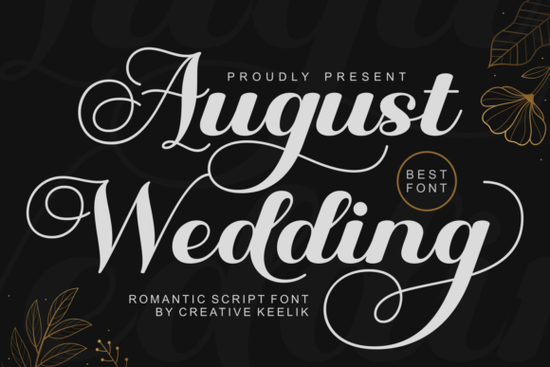
If you're designing wedding stationery whether for a client, your own big day, or a print-on-demand shop the August Wedding font is one of those script fonts that feels instantly familiar yet refreshingly distinctive. It’s not overly ornate, but it carries weight and warmth: think handwritten love letters crossed with the quiet confidence of luxury branding. You’ll find it especially useful for invitations, vow books, signage, monogrammed napkins, or even digital wedding websites where authenticity matters.
What makes August Wedding work so well for real projects?
Unlike many script fonts that rely on heavy contrast or dramatic angles, August Wedding balances flow and legibility. Its swashes are generous but never overwhelming ideal when you need elegance without sacrificing readability at smaller sizes (like on RSVP cards or place settings). The full character set includes alternate glyphs and flourishes, all PUA encoded, meaning you can access them easily in design apps like Adobe Illustrator, Affinity Designer, or even Canva Pro no complex OpenType features required.
It pairs naturally with clean serifs like Playfair Display or Lora for headings and body text, letting the script shine as a focal point while keeping layout hierarchy clear. That balance is why designers working with boutique stationers or small wedding planners often choose it over flashier options it supports the story instead of competing with it.
Who uses this font and how?
- Designers & freelancers: Use it for custom invitation suites, save-the-dates, and ceremony programs especially when clients ask for “romantic but not too cutesy.”
- Crafters & makers: Cut vinyl or foil-stamp the script for wooden signs, acrylic table numbers, or hand-lettered envelopes. Its smooth curves translate well to physical media.
- Print-on-demand sellers: It works reliably across platforms like Printful or Gelato because of its solid spacing and consistent baseline. Try pairing it with minimalist layouts for best conversion rates.
- Small businesses: Wedding photographers, florists, or planners sometimes use it subtly in their own branding on business cards, social bios, or email headers to signal tone without saying a word.
How does it compare to other popular script fonts?
If you already own Celestine Font, you’ll notice August Wedding has more rhythm in its lowercase connections and slightly more restrained swashes making it better suited for longer phrases (like “Mr. & Mrs. Smith” or “Together with their families”). Softly Written Font leans softer and airier, great for watercolor-themed designs, while August Wedding holds structure better for crisp printing.
For color-focused projects say, coordinating with floral palettes or seasonal themes Daisy Font offers playful charm, but lacks the formal grace needed for black-tie events. And if you’re drawn to bolder, high-contrast scripts like Francy Tiguan Font, keep in mind that August Wedding trades drama for refinement, which often reads more authentically in wedding contexts.
You can also explore similar options directly on Creative Fabrica: check out the August Wedding Font, Celestine Font, or Softly Written Font to compare samples side by side.
A note on licensing and practical use
The license covers commercial use including selling physical products and digital templates as long as you’re not reselling the font file itself. That means you can safely use it in Canva templates you sell, SVG files for Cricut users, or printable bundles on Etsy. Just avoid embedding it in web fonts or app interfaces unless you’ve confirmed extended rights.
One tip before you start designing: test your text at actual print size early. Some swashes look gorgeous on screen but may need slight trimming or repositioning when printed at 10–12 pt. Also, consider turning off automatic ligatures in your software if they trigger unexpectedly, they can change letterforms in ways that break consistency.
Before you download, try this quick checklist:
- ✅ Test the font with your most common phrase (e.g., couple names + date)
- ✅ Check how lowercase “g”, “y”, and “f” connect these often reveal spacing quirks
- ✅ Preview both uppercase and lowercase versions in your intended layout tool
- ✅ Make sure your printer or vendor accepts OTF/TTF files (they almost always do)
- ✅ Save a backup version of your project file with outlines applied, just in case
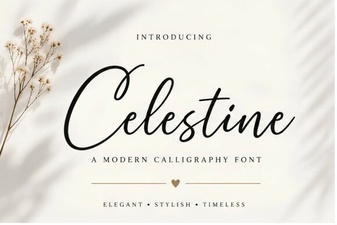 Celestine Font: Design, Usability & Creative Project Ideas
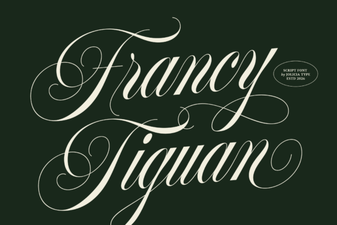 The Francy Tiguan Font for Creative Design Projects
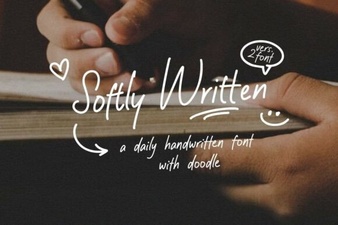 Gentle Typography: Design and Project Ideas
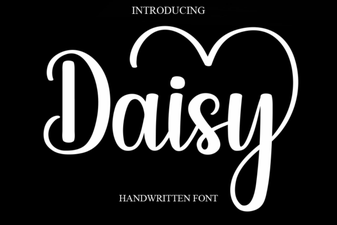 Daisy Font: Beautiful Handwriting for Designs
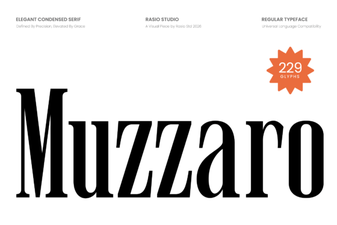 Muzzaro Font: Creative Design Projects
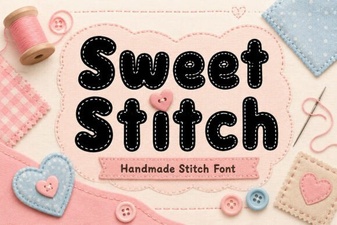 Sweet Stitch Font for Creative Diy Projects