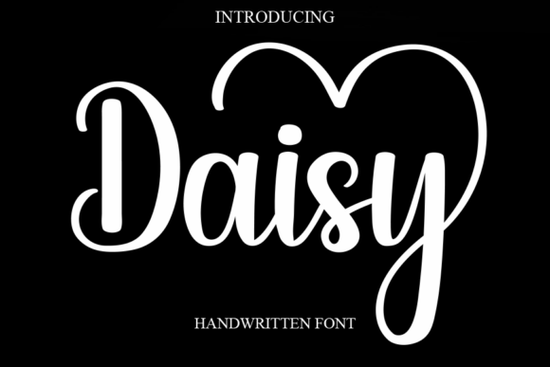
If you're looking for a gentle, hand-drawn script font that feels both elegant and approachable especially for wedding stationery, greeting cards, or soft-branded apparel the Daisy Font is a thoughtful choice. It’s not overly formal or fussy, but it carries warmth and personality in every curve. Designed with subtle variation in stroke weight and natural-looking letter connections, Daisy works well at medium to large sizes without losing legibility even when printed on textured paper or embroidered onto fabric.
When does Daisy Font work best?
Daisy shines in contexts where you want sincerity and charm, not perfection. Think handwritten-style invitations, boutique packaging labels, Instagram story quotes for small businesses, or even custom tote bags for a spring collection. Because it’s a true cursive (with connecting letters), it reads smoothly in short phrases like “just married,” “thank you,” or “hand-poured candles.” It’s less suited for long paragraphs or dense body text, which is typical for script fonts.
Small business owners and print-on-demand sellers often tell us they reach for Daisy when designing for clients who want something romantic but not overly traditional say, a modern elopement suite or a feminine skincare brand identity. Its light contrast and open letterforms keep things airy and inviting, unlike heavier scripts that can feel dated or stiff.
How does Daisy compare to other popular script fonts?
Like August Wedding Font, Daisy leans into seasonal romance but with softer edges and less ornamentation. If you’ve used Celestine Font, you’ll notice Daisy has a more relaxed rhythm: fewer sharp lifts, gentler ascenders, and a slightly lower x-height, giving it a cozy, grounded feel. It shares the casual elegance of Softly Written Font, though Daisy has more consistent spacing and slightly more defined terminals making it easier to pair with clean sans-serifs like Montserrat or Poppins.
For color lovers, there’s also a colorful version available separately, which includes layered, ready-to-use multi-hue glyphs ideal for digital mockups or SVG cut files. And if you’re exploring similar energy in different moods, Francy Tiguan Font offers bolder bounce and more playful exaggeration, while Daisy stays quietly confident.
What file formats and features come with Daisy Font?
You’ll get standard OTF and TTF files, plus web-ready WOFF for embedding in Shopify or WordPress sites. The font includes full Latin character sets (A–Z, a–z, numbers, punctuation), basic ligatures, and stylistic alternates for letters like ‘a’, ‘g’, and ‘y’ so you can tweak the look without switching fonts. There’s no separate “swash” or “ornament” file, but the built-in alternates give enough flexibility for most small-scale design needs.
It’s compatible with Cricut Design Space, Silhouette Studio, Adobe Creative Cloud apps, and Canva (via upload). No special software or license upgrades needed for personal or commercial use including POD platforms like Redbubble, Etsy, and Printful as long as you follow Creative Fabrica’s standard Daisy Font license terms.
Real-world tips for using Daisy Font well
- Pair it thoughtfully: Use it for headlines or short phrases only, then switch to a neutral sans-serif (like Inter or Lato) for supporting text.
- Watch your size and spacing: At under 24pt, some connections may blur especially on low-res screens or thermal printers. Add 5–10% extra letter-spacing if using it smaller than 36pt.
- Test on your final surface: Daisy looks lovely on matte cardstock, but avoid glossy finishes unless you’re printing at high DPI it can soften the delicate lines.
- Try layering: In vector editors, duplicate the text layer, shift one slightly, and change its color to create a subtle shadow or duotone effect great for social graphics or merch mockups.
One thing users consistently mention: Daisy doesn’t shout. It invites. That makes it especially useful when your audience values authenticity over flash think handmade soap labels, indie bookstore newsletters, or baby shower banners where warmth matters more than wow-factor.
Before downloading, ask yourself: Will this font support the feeling I want my audience to walk away with? If the answer is “yes” and you need something graceful, readable, and quietly joyful then Daisy fits naturally into your toolkit alongside other trusted script fonts like Celestine Font or Softly Written Font.
Next step: Open a new design file, type out your key phrase in Daisy Font at 48pt, and try pairing it with a simple sans-serif at 16pt. Print it or view it on your phone. Does it feel right not just pretty, but true to your message? If yes, you’ve found your match.
Get Started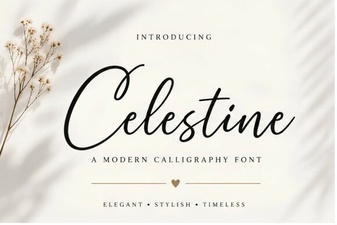 Celestine Font: Design, Usability & Creative Project Ideas
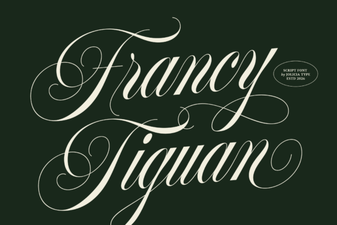 The Francy Tiguan Font for Creative Design Projects
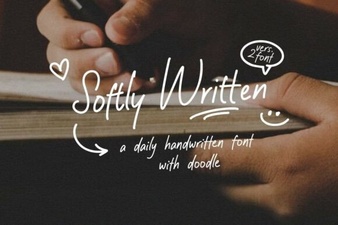 Gentle Typography: Design and Project Ideas
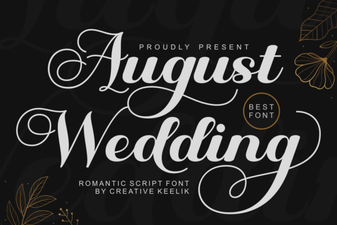 Font Ideas for a Beautiful August Wedding Invitation
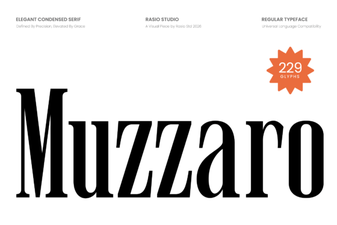 Muzzaro Font: Creative Design Projects
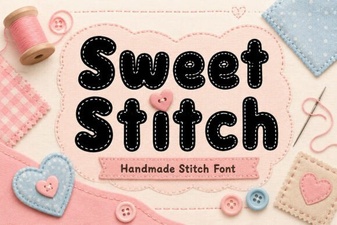 Sweet Stitch Font for Creative Diy Projects