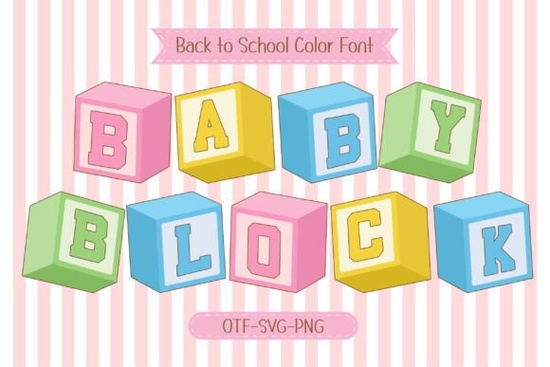
If you're looking for a friendly, classroom-ready typeface that feels like a warm hug from childhood without sacrificing modern clarity the Baby Block Font is a thoughtful fit. It’s not just another “cute kids’ font.” Designed with real use cases in mind like printable flashcards, fabric appliqué patterns, or cheerful nursery wall art it balances playfulness and legibility in a way that works across mediums. You’ll notice the soft pastel color layers right away: four distinct tones built into one font file, so each letter appears in a different cheerful hue unless you choose to override them. That makes it especially handy for crafters who want instant visual variety without manual recoloring.
What makes Baby Block different from other children’s fonts?
Most playful fonts lean heavily into scribbles, wobbly lines, or cartoonish exaggeration which can hurt readability at small sizes or on low-resolution prints. Baby Block avoids that trap. Its base is a clean, bold sans serif think sturdy wooden blocks you’d find in a Montessori shelf but softened with rounded corners and gentle proportions. The result? A font that’s easy for early readers to recognize, yet still distinctive enough for branding or product labels. And because it’s a true 4-color font (not just layered graphics), it scales smoothly whether you’re embroidering a onesie or designing a large classroom banner.
Where does it work best?
This isn’t a one-trick font. Designers and makers tell us it shines in these everyday situations:
- School and learning materials: Flashcards, sight-word posters, phonics worksheets, and alphabet tracing sheets all benefit from its clear shapes and joyful tone.
- Print-on-demand products: T-shirts, mugs, tote bags, and baby blankets get an instant lift especially when paired with simple line-art illustrations or minimalist layouts.
- Digital classrooms and homeschool resources: Teachers using Canva or Google Slides appreciate how quickly it adds warmth to slide decks or digital activity cards.
- DIGI scrapbooking and SVG bundles: Because the colors are built-in, it saves time when prepping cut files for Cricut or Silhouette machines no need to separate layers manually.
It also pairs well with neutral or muted supporting fonts (like a clean geometric sans or a relaxed handwritten style) if you’re building a full design system for a children’s brand or small business.
How do you use the colors and can you change them?
Yes you have full control. In compatible software (like Adobe Illustrator, Photoshop CC 2023+, or Affinity Designer), each color layer appears as a separate glyph set. You can toggle individual colors on or off, adjust opacity, or replace them entirely with your brand palette. If you’re using it in Cricut Design Space or Silhouette Studio, you’ll typically apply colors after ungrouping the letters so keep that in mind when prepping cut files. For quick projects, leaving the default pastels intact often gives the most authentic “toy block” feel.
Is it beginner-friendly?
Absolutely. Unlike some multi-layered fonts that require advanced knowledge of OpenType features, Baby Block installs and behaves like any standard font. You type normally, then adjust colors or layers as needed. No plugins or special settings required. That’s why it’s become a go-to for hobbyists setting up their first Etsy shop or teachers making classroom decor during summer break.
If you'd like to see how the colors interact in practice or test it alongside similar options we’ve put together a side-by-side preview page where you can compare Baby Block with other colorful fonts in our collection. You’ll also find tips for pairing it with free icons and matching SVGs.
For those curious about related typefaces, the Playtime font offers a looser, hand-drawn alternative, while Sunny Days font leans more into summery, breezy energy both useful depending on your project’s mood.
One practical tip before you download: Try typing a short phrase like “ABC 123” or “Happy Learning!” in your design app first. That helps you quickly check spacing, color balance, and how the font renders at your intended size especially important for embroidery or vinyl cutting where tiny details matter.
Before you start your next project, ask yourself:
- Will this be printed, embroidered, or cut? (Check compatibility with your output method.)
- Do I need consistent colors or will I customize them to match my brand or palette?
- Am I using it for learning support? If yes, double-check letterforms for clarity (e.g., lowercase “a” and “g” are open and distinct).
- Have I tested it at the smallest size I’ll actually use? (Try 18–24 pt for printables, 36+ pt for T-shirt front designs.)
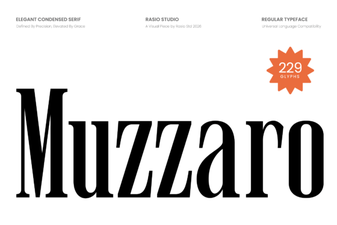 Muzzaro Font: Creative Design Projects
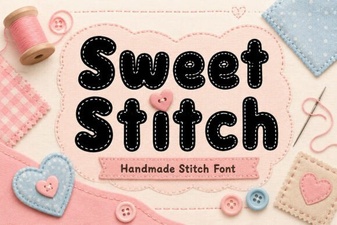 Sweet Stitch Font for Creative Diy Projects
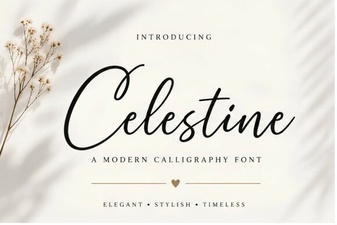 Celestine Font: Design, Usability & Creative Project Ideas
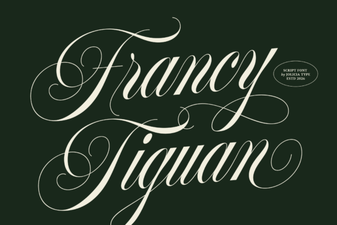 The Francy Tiguan Font for Creative Design Projects
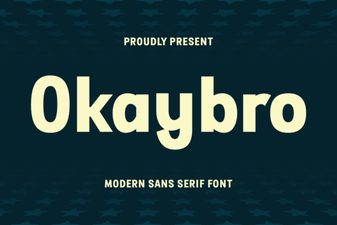 Okaybro Font Download & Design Inspiration Guide
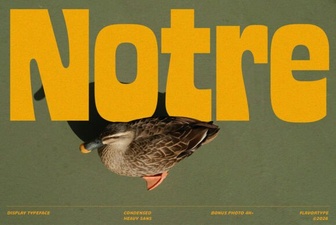 Notre Font: Design Tips & Creative Projects